

Quick answer: The best budget gadgets under $50 are the ones that fix a daily annoyance. A USB-C hub for missing ports. A 10,000mAh power bank. Comfortable earbuds, a laptop stand, a basic webcam, a rechargeable desk light. Buy for compatibility and a decent warranty, not for novelty.
A student in Ohio and a remote worker in Leeds often have the exact same problems. A laptop with too few ports. A phone that dies before the day ends. Video calls that look and sound worse than they should. The good news? The most useful fixes aren’t expensive.
This guide sticks to practical categories that regularly show up below $50 in the US and £40 in the UK, from reputable sellers or in normal sales. Prices move fast, so treat these numbers as a budget ceiling, not a promise for one exact model on one exact day. For more buying ideas, see our Gadgets section.
How to shop this list without wasting money
Start with the problem, not the product
Write the annoyance down first. “I can’t plug in my monitor and mouse at the same time.” Or, “My laptop camera makes me look like I’m sitting in a cave.” A gadget that solves a named problem gets used every day. A fun novelty gadget usually ends up in a drawer.
Check three compatibility details
- Connector: USB-C, USB-A, HDMI, Lightning, or Bluetooth. And if you need a monitor, check that your laptop or phone supports video over USB-C.
- Power: A charger or hub should support the wattage your laptop needs. A phone only charger may keep a laptop alive, but it’ll charge it painfully slowly.
- Region: US buyers need the right plug and voltage labelling. UK buyers should look for a proper UK plug and skip cheap imports with unclear safety marks.
The 7 best budget gadget categories under $50 to £40
1. USB-C hub: typical budget $25 to $50, or £20 to £40
A basic hub adds USB-A ports, HDMI, and an SD card reader to a slim laptop. For many students it’s the first purchase that makes sense, because modern laptops often give you just two USB-C ports and nothing else. Look for clear HDMI resolution support, pass through charging wattage, and a cable long enough to sit flat on a desk.
Deals coverage regularly shows multi port hubs from big accessory brands discounted into this range. For example, this roundup of Anker hub and charging deals shows why it pays to compare sale prices instead of paying the first list price you see.
2. 10,000mAh power bank: typical budget $20 to $35, or £16 to £28
This size is the sweet spot. Light enough for a backpack, big enough for roughly one to two phone charges, depending on your phone and the usual efficiency losses. Choose USB-C in and out, a battery indicator, and a known brand with clear safety information. Be wary of huge advertised capacities from unknown sellers. Inflated numbers are everywhere.
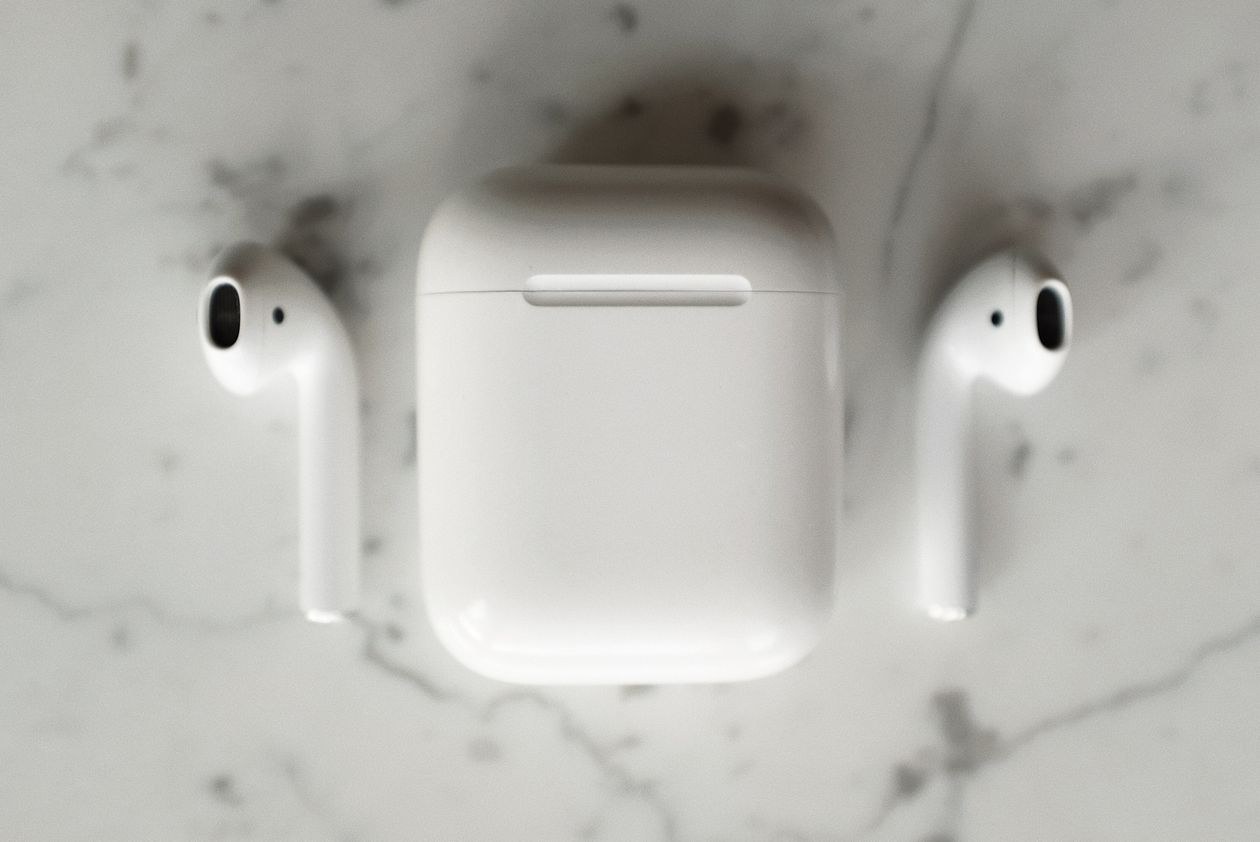
3. Wireless earbuds: typical budget $25 to $50, or £20 to £40
Budget earbuds are now good enough for lectures, podcasts, commuting, and most calls. Comfort matters more than a long feature list. Check battery life with the case, microphone samples in reviews, water resistance if you exercise, and whether spare ear tips are in the box. Take a lot of work calls? A simple wired USB headset can sound clearer for less money.
4. Adjustable laptop stand: typical budget $20 to $40, or £16 to £32
Raising the screen stops you hunching over a laptop all day. A folding aluminium stand travels well for students moving between the library, home, and classes. Pair it with a separate keyboard and mouse for long sessions, because a stand alone doesn’t fix a low keyboard.
Building a fuller home setup? Our guide to software essentials and desk tools is a good companion, and our remote work coverage starts from the same comfort first principle.
5. 1080p webcam: typical budget $30 to $50, or £24 to £40 on sale
Not every laptop needs a webcam upgrade. Test yours first, in the light you normally sit in. If the picture is grainy, or the lid puts the camera at an odd low angle, a basic 1080p webcam with a privacy shutter and a tripod thread can help. One honest tip: better lighting usually improves the picture more than a pricier camera does.
6. Rechargeable desk light: typical budget $15 to $35, or £12 to £28
A small light with adjustable brightness and colour temperature helps evening study and video calls. Place it slightly to one side, and soften it if you can. A harsh light pointed straight at your face can look worse than a plain room lamp. USB-C charging is handy, but check it can also run while plugged in.
7. Travel charging kit: typical budget $20 to $45, or £16 to £36
One compact multi port charger and two good cables can replace a bag full of bricks. A newer 100W travel adapter sits above this budget at full price, but sale tracking like 9to5Toys’ report on Anker’s discounted smart display travel charger shows how a legitimate sale can bring better charging gear within a student budget. For daily use, a smaller 30W to 45W USB-C charger usually covers a phone, earbuds, and a tablet.
Quick comparison table
| Gadget | Best for | Budget (US / UK) | Watch out for |
|---|---|---|---|
| USB-C hub | Ports and a monitor | $25 to $50 / £20 to £40 | Video support and charging wattage |
| Power bank | Long campus or travel days | $20 to $35 / £16 to £28 | Fake capacity claims |
| Earbuds | Lectures and commuting | $25 to $50 / £20 to £40 | Fit and microphone quality |
| Laptop stand | Posture and screen height | $20 to $40 / £16 to £32 | Stability with larger laptops |
| Webcam | Interviews and calls | $30 to $50 / £24 to £40 | Poor room lighting |
| Desk light | Study and video | $15 to $35 / £12 to £28 | Glare and battery only use |
What we’ve learned buying cheap tech over the years
We’ve bought the bargain version and the brand name version of most things on this list. Here’s the honest lesson. Cheap is fine for stands, lights, and cables from decent brands. Cheap gets risky with anything that holds a charge.
Power banks and chargers are where we tell friends and family to spend a little more and buy a name they recognise. A stand that wobbles is annoying. A battery that swells is a problem.
US and UK buying tips
United States
Compare Amazon, Best Buy, Walmart, Target, and the manufacturer’s own store. Check whether a “sale” price is just the normal price somewhere else. Students should also check campus stores and education discounts, especially at the start of term.
United Kingdom
Compare Amazon UK, Currys, Argos, John Lewis, and the manufacturer. A longer warranty or easy returns can be worth a few pounds on things like earbuds and power banks. Be careful with marketplace imports that have no clear UK plug, no address, and no obvious way to return them.
Cheap gadgets to skip
- Unknown high capacity power banks with unbelievable claims and no credible safety information.
- Mini projectors at toy prices that look dim in a normal room and make lecture slides hard to read.
- Keyboard covers and novelty lights bought before you own the basics: power, ports, sound, and screen height.
- Anything that needs a strange app just to switch on, especially if that app asks for permissions it doesn’t need.
That last point matters more than people think. A cheap gadget shouldn’t create a security problem. Before you install companion apps or connect smart accessories to work accounts, review the basics in our Cybersecurity guides.
Build your kit in the right order
- Fix charging: a power bank or a spare charger.
- Fix connectivity: a USB-C hub if you’re missing ports.
- Fix comfort: a laptop stand, plus the keyboard and mouse you already own if you can.
- Fix calls: lighting first, then a webcam or headset if you still need one.
- Add earbuds when commuting or shared housing makes them necessary.
Tech gets more useful when every purchase has a job. The same idea applies to online tools. Students using AI should pick tools that support learning, not shortcuts, a theme we come back to across TechPure. And if you run a student or small business website, our guide to getting cited in Google AI Overviews explains how clear, helpful pages win attention without a big budget.
Frequently Asked Questions
What’s the single most useful gadget under $50?
For most laptop users, it’s a USB-C hub or a reliable power bank. Pick the hub if missing ports stop you working. Pick the power bank if your phone and accessories keep running flat away from a socket.
Are cheap wireless earbuds good enough for online classes?
Usually, yes, as long as they fit comfortably and the microphone is clear in a quiet room. Test them before an important interview or presentation, and keep a wired backup if you can. Fit, battery life, and a usable mic matter more than expensive branding.
Should UK buyers just convert the US price?
No. UK prices include VAT, and they shift with retailer competition, warranty, and stock. Treat $50 and £40 as two separate local budgets and compare prices in your own market.
Is it safe to buy budget gadgets from online marketplaces?
It can be. Buy from the brand or an authorised retailer where you can, check the returns policy, and take extra care with chargers and batteries. Avoid products with unclear safety information, misspelled packaging, or reviews that look copied from each other.
Final Takeaway
You don’t need a $200 accessory haul to study or work better. Spend under $50, or £40 in the UK, on the bottleneck you feel every day: power, ports, comfort, light, or sound. Buy from a seller you can return to. Then stop, until the next real problem shows up.
Choosing between two gadgets and want a second opinion? Send us the models through Contact TechPure, and check the latest Tech News before you buy.
